Software Guide
Installation
To install the data processing python package, first clone the repository from GitHub:
Then you will need to install the dependencies. There are only 3 dependeices requires, which can be installed via pip:
The required dependencies are:
numpy
matplotlib
scipy
Configuration
There are some configuration options that can be set in the config.ini file. The options are as follows:
pvf: Polynomial order to use for filtering direct signal SNR data.min_rh: Minimum reflector height to consider for height retrievals (in meters).min_points: Minimum number of data points required after filtering by azimuth and elevation to perform height retrieval.max_az_diff: Maximum azimuth difference (in degrees) between the minimum and maximum to consider.max_height: Maximum reflector height to consider for height retrievals (in meters).pcrit: Minimum value for the peak-noise ratio to consider a valid height retrieval.ediff: Elevation difference (in degrees) between the minimum and maximum to consider.snr_thresh: Minimum SNR value to consider for height retrievals.av_time: Average sampling time, used for smoothing function
Usage
To use the data processing package, run the script matlab_translate.py. By default the script is setup to process all data in the sample_data directory. You can change this by modifying the string on line 9
Once you have modified the script to your liking, run the script with python:
Once started the script will first ask what files you would like to process. To match multiple files use an * as a wildcard. For example 250520*.LOG will match only the files that start with 250520 and end with .LOG will be processed. So this will match files generated on the 20th of May 2025. See Build Tutorial Data Files for more information on the file naming convention.
The script will then ask you if you would like to use the default azimuth range bins of 0-90, 90-180, 180-270, 270-360 degrees. You can choose to use these default bins, or specify your own custom azimuth bins, of which you can have up to 4 bins. After the Azimuths it will then ask for the minimum and maximum elevation angles to consider for height retrievals.
Fianlly, the script will start processing all matching files in the specified directory. Once it has finished doing this it will prompt you for what type of graphs to output. See below for more information on the graph options.
Graph Options
Once the data processing script has finished processing the data files, it will prompt you for what type of graphs to output. You can choose from the following options:
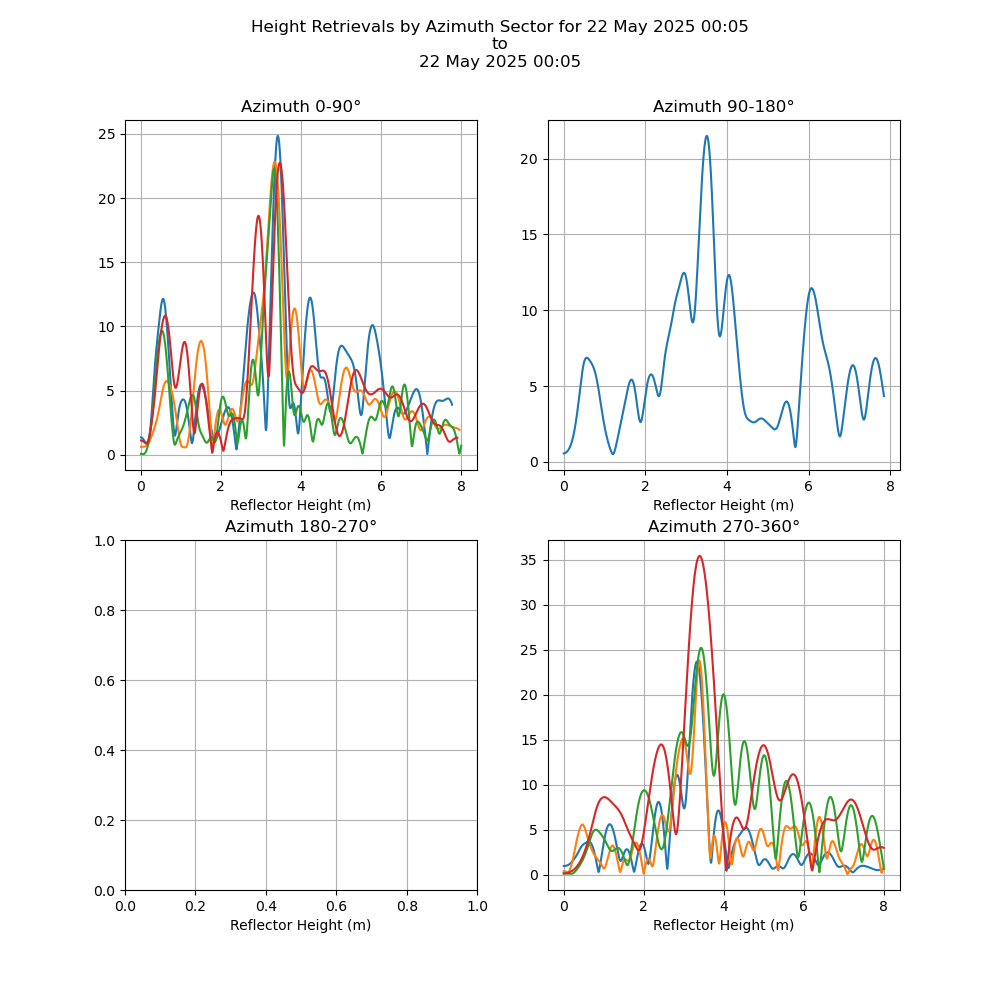
Graph showing height retrievals by Azimuth region for a single day.
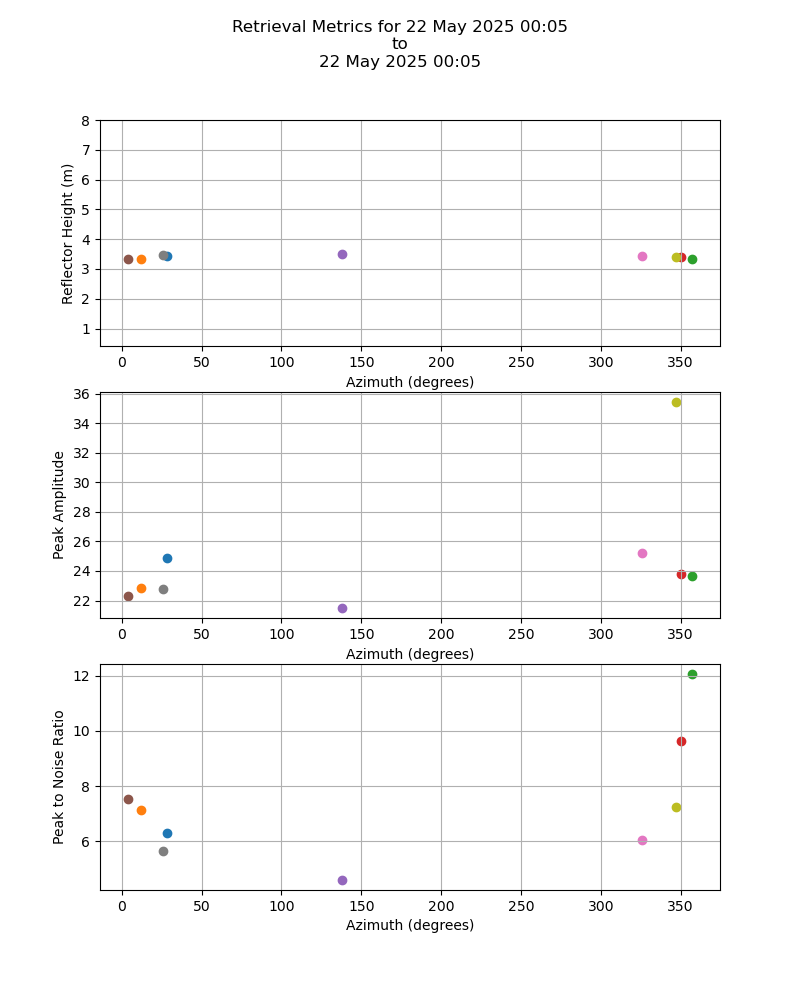
Graph showing retrieval metrics for a single day.
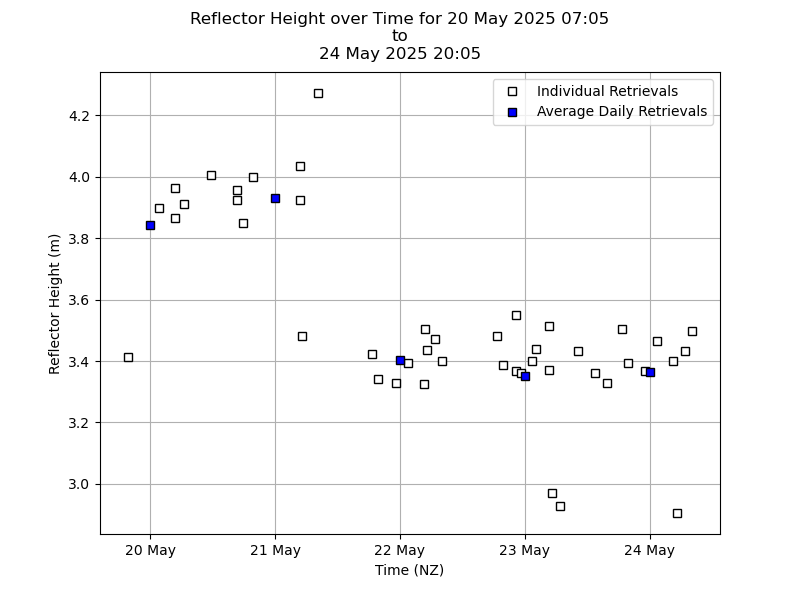
Graph showing height retrievals over time
For options 1 and 2, you will also be prompted to enter the date of the data you wish to graph in the format YYYY-MM-DD.
Height Retrieval by Azimuth Region
Retrieval Metrics for a Single Day
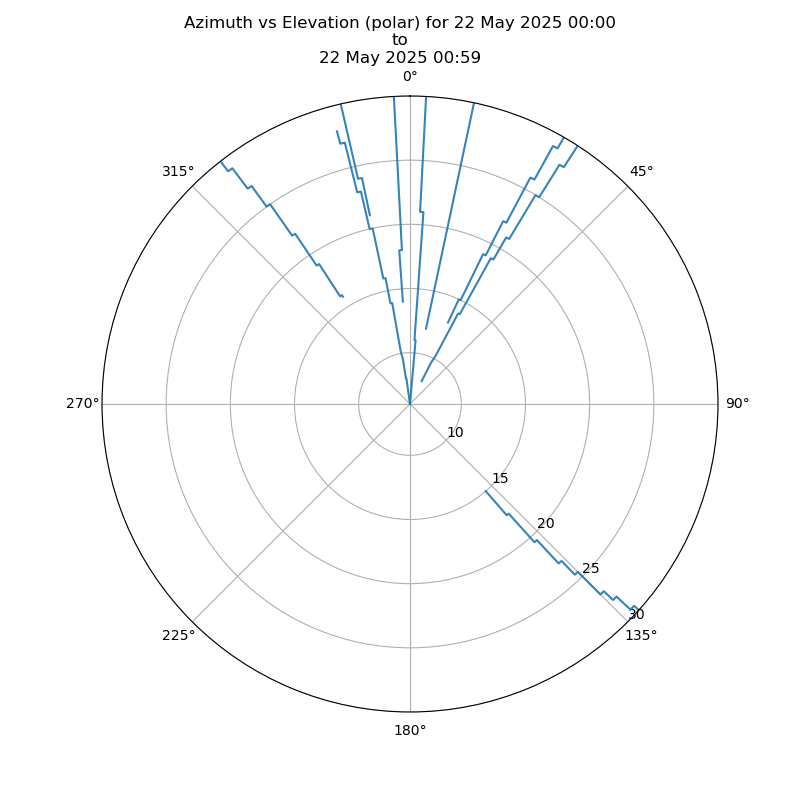
Azimuth vs Elevation Polar Plot
Height Retrievals Over Time